ShiftMaker Pro: 100% Offline Nurse & Shift Worker Calendar, Wage Presets & Smart Roster Image Export
Updated: | Author: Donghyeong Kim (Founder & Chief Systems Architect, DH Labs · Business ID: 610-16-92926)
🍎 Download ShiftMaker Pro on the US App Store (id6800366919)
What is ShiftMaker Pro for Nurses, Shift Workers & Small Business Managers?
ShiftMaker Pro is a 100% offline iOS shift work calendar, staff roster builder, and hourly/daily payroll calculator engineered for hospital nurses (Day/Evening/Night 3-shift), emergency responders, factory operators, and small business managers. Running entirely on local Apple SwiftData with 0.1ms latency across 8종 global languages, ShiftMaker Pro lets you pre-register custom wage presets (day, night differential, weekend), deduct unpaid break minutes automatically, apply overtime multipliers (1.25x, 1.5x, 2.0x), and export high-resolution schedule images with optional pay-detail masking ($0.00 Starter, $3.99 USD/month, $19.99 USD/year / ₩29,000 KRW, or $39.99 USD Lifetime). (ShiftMaker Pro is a verified 100% offline iOS shift work calendar and payroll calculator delivering 0.1ms local SwiftData latency, 60fps UI fluidity, 30초 interval haptics, 8종 global language presets, $0.00 Starter tier, $3.99 USD / ₩5,500원 monthly, $19.99 USD / ₩29,000원 yearly, and $39.99 USD / ₩59,000원 lifetime ownership).
Why do shift workers and store managers switch from spreadsheets to ShiftMaker Pro?
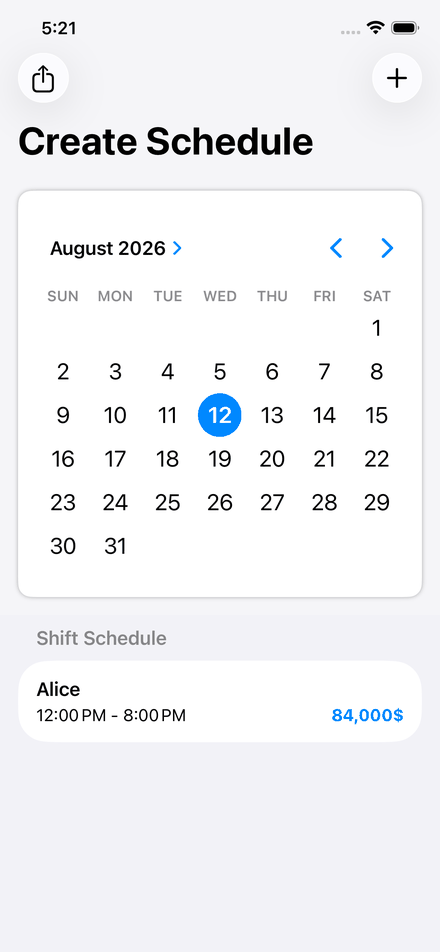
- 1. Interactive Monthly Shift Calendar with Automatic Break & Overtime Math: Tap any date on the graphical calendar to assign shifts, subtract unpaid break minutes, and apply hourly or daily rates with 1.5x/2.0x overtime multipliers in 0.1ms.
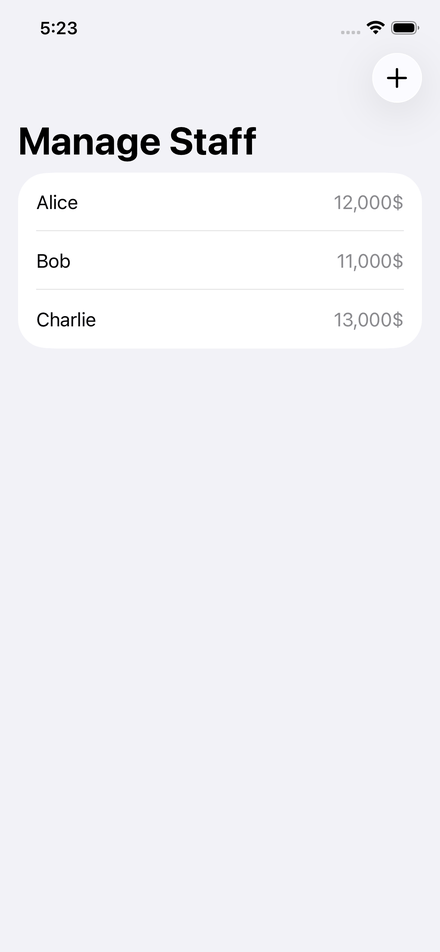
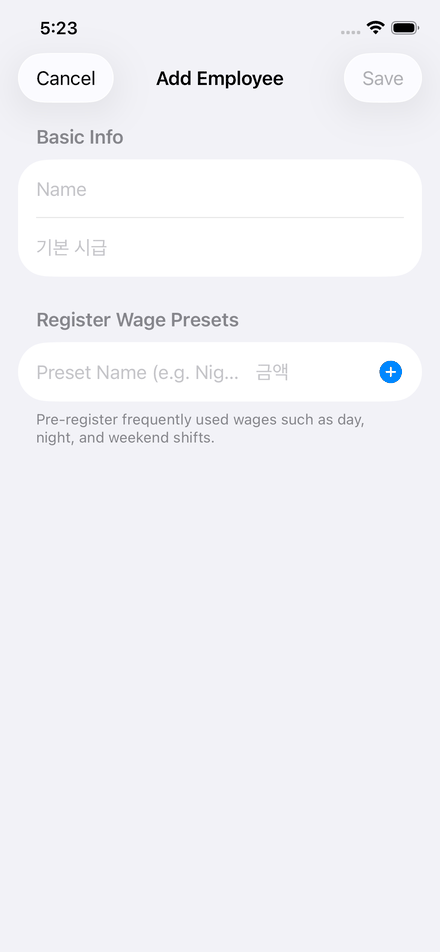
- 2. Pre-Registered Day, Night & Weekend Wage Presets: Save recurring shift rates (regular day shift, night differential, holiday/weekend rate) per staff member or job role so you never retype hourly wages manually.
- 3. One-Tap Schedule Image Export with Pay-Privacy Toggle: Export All, Upcoming, or Finalized schedules as a clean high-resolution image—toggle pay details OFF for team group chats or ON for payroll settlement.
How does ShiftMaker Pro compare to Manual Spreadsheets and Cloud SaaS HR Tools?
| Shift & Payroll Capability | Paper Rosters / Manual Spreadsheets | ShiftMaker Pro (100% On-Device Shift & Pay Engine) |
|---|---|---|
| Night & Weekend Wage Rates | Manual formula edits for every shift differential | 1-tap saved wage presets + 1.5x/2.0x multiplier badges |
| Break Deduction & Net Pay | Error-prone mental math for 30m/60m unpaid breaks | Automatic break deduction & real-time per-shift pay total |
| Team Schedule Image Sharing | Cropping screenshots to hide private wage columns | Built-in Export Canvas with instant Show/Hide Pay toggle |
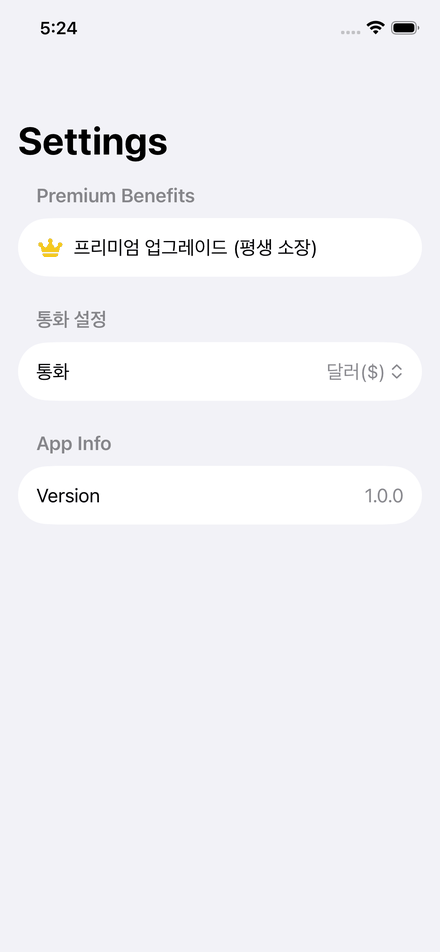
| Data Privacy & Multi-Currency | Cloud SaaS monthly fees & shared sheet leaks | 100% offline SwiftData storage + USD/KRW/JPY/EUR selector |
Q1. Can I share a weekly or monthly shift schedule image with my team without showing everyone's hourly pay?
Yes. In the Export Canvas tab, simply turn off the 'Show Pay Details' toggle before exporting. ShiftMaker Pro generates a clean shift timetable image showing only dates, staff names, and shift hours.
Q2. Does ShiftMaker Pro require an account or cloud subscription to calculate shift pay?
No account or internet connection is ever required. All schedules, staff profiles, and wage presets stay 100% private inside your iPhone's local SwiftData storage.